|
INSTRUCTIONS
As common with virtually all Novaseal machines, controls are simple and 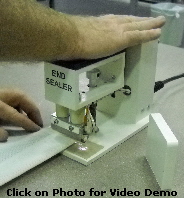 machines are easy to use. EndSealer is no different. The EndSealer produces a 1/4-inch by 2-inch heat seal. Simply, locate the material you desire to seal under the Heat Die and press down the spring-activated hand press, hold in place for desired amount of time, then release. On most materials that is all you need to do. On some materials, cooling pressure is needed to permanently secure the heat sealed materials. If cooling pressure is needed, either use our optional Heat Seal Block, or any other heat sink material. Determining the amount of time to heat seal a material is best accomplished using trial and error methods. The two basic variables in producing optimal seals are seal temperature and seal time. When using our default settings for seal temperature, sealing time becomes the only real variable. machines are easy to use. EndSealer is no different. The EndSealer produces a 1/4-inch by 2-inch heat seal. Simply, locate the material you desire to seal under the Heat Die and press down the spring-activated hand press, hold in place for desired amount of time, then release. On most materials that is all you need to do. On some materials, cooling pressure is needed to permanently secure the heat sealed materials. If cooling pressure is needed, either use our optional Heat Seal Block, or any other heat sink material. Determining the amount of time to heat seal a material is best accomplished using trial and error methods. The two basic variables in producing optimal seals are seal temperature and seal time. When using our default settings for seal temperature, sealing time becomes the only real variable.
For a video of the operation described, click on the photo to the right.
|